Overview
Swift Direct Deposit App for SAP S4HANA allows the employees to keep a track of the payroll payments received. It also allows the employees to provide the auto-deposit instructions which streamlines the payroll process. Swift Direct Deposit and Payment History App provides the following key features:
Note: You need Swift platform service to use this application.
Dashboard
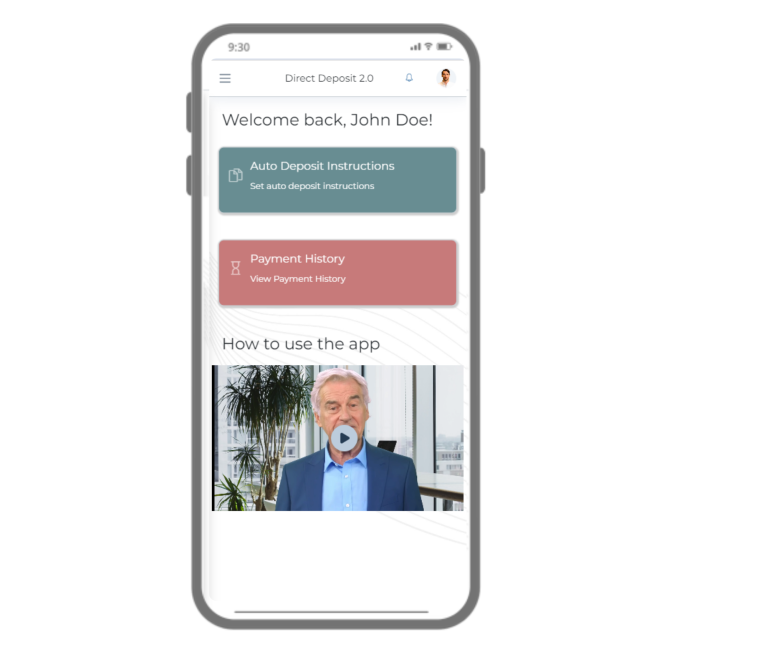
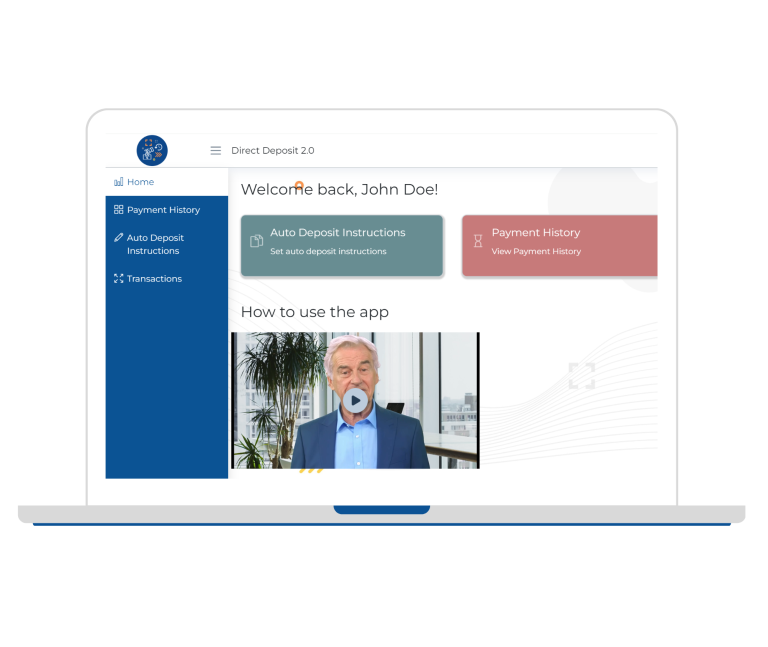
The Dashboard View in Direct Deposit App provides:
- Widgets for Auto Deposit and Payment History forms for easy navigation.
- A guide video that offers the instructions for navigating and utilizing the app effectively.


Payment History
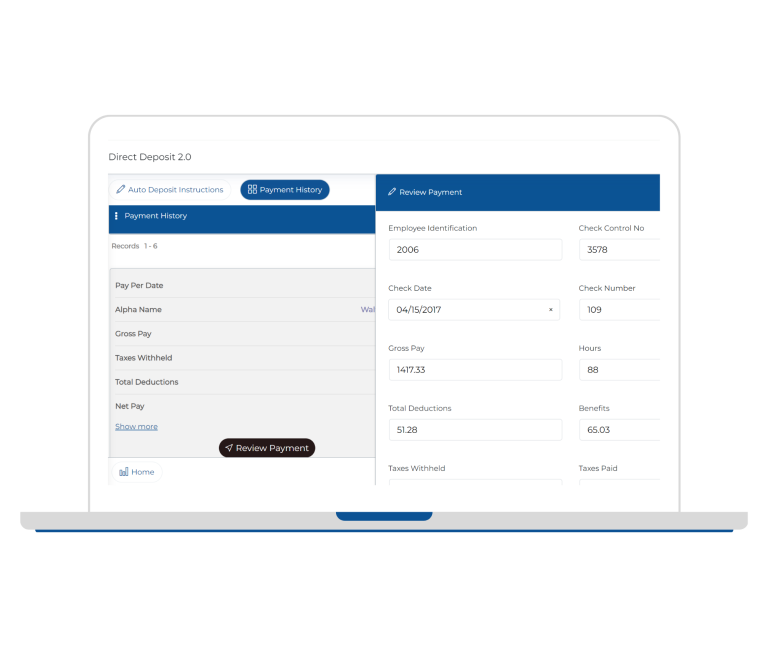
The Payment History feature provides the following:
- View the Payment History for each pay period with the ability to view the details such as gross pay, taxes withheld, total deductions, net pay, payment reference such as payment / check date, check number etc.
- It also provides an easy record search, sorting and filtering, and provides detailed payment view upon selecting “Review Payment.


Auto Deposit Instructions
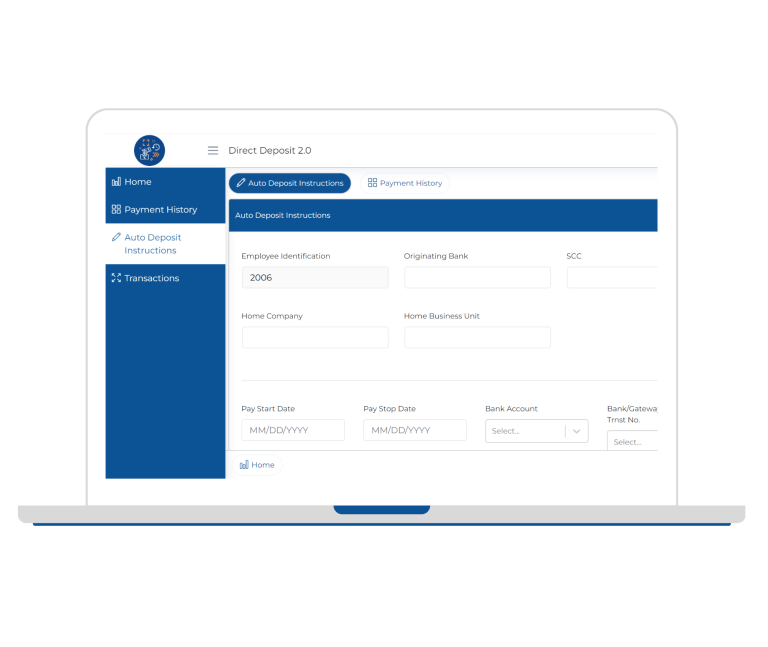
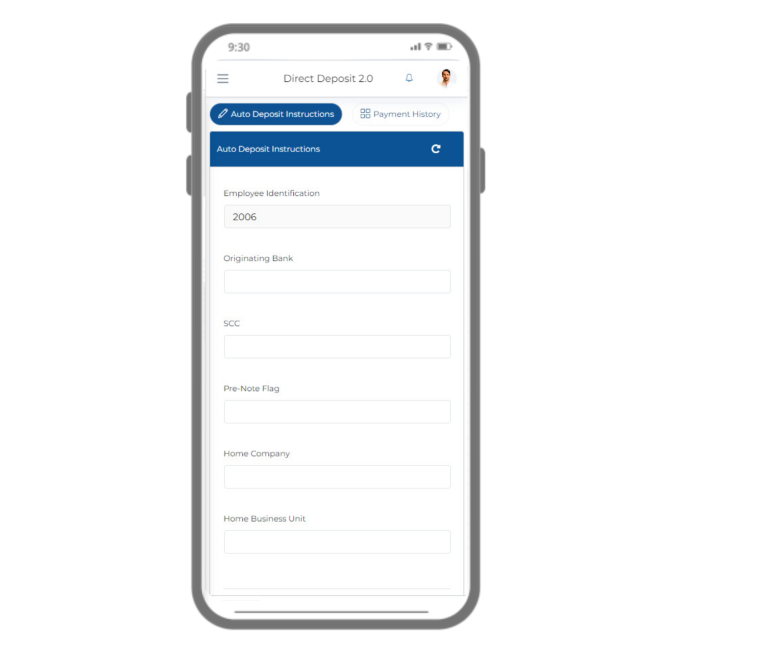
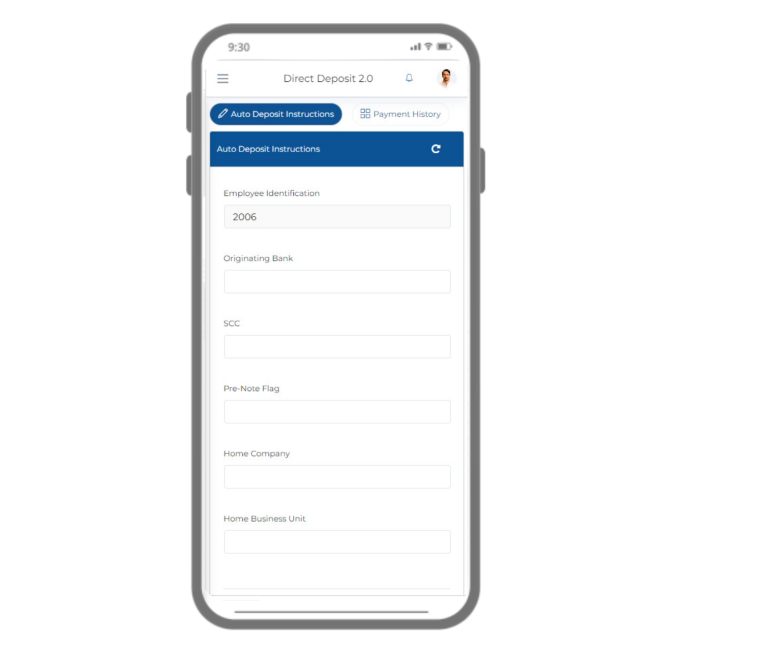
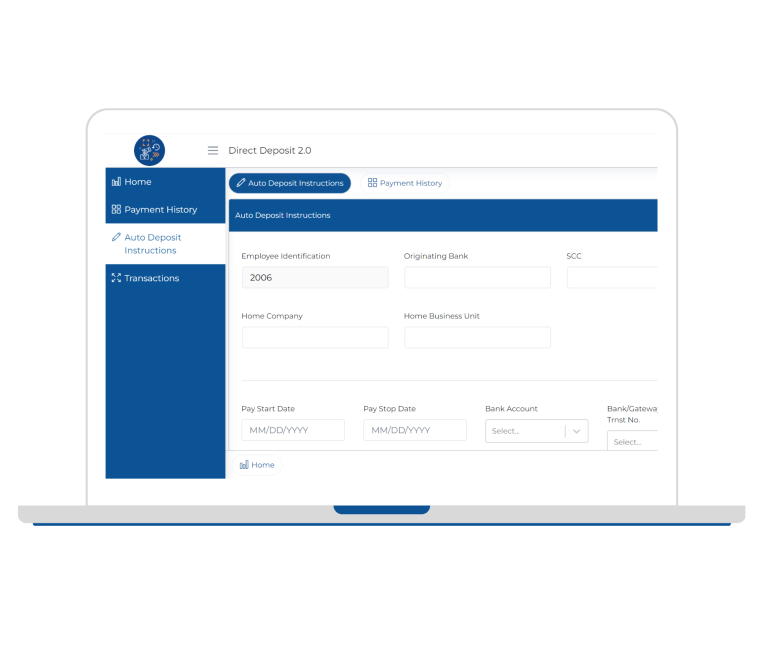
The Auto Deposit Instructions allows the users with a user-friendly entry form to add their payment mode preferences and the % breakup of their payment to be made via each of those payment modes.
- It enables users to input essential information such as bank account number, percentage of payment to that bank account facilitating the setup of automated deposits with ease.
- By streamlining the process of entering details required for automated transactions, users can effectively self-manage their payroll and ensure seamless payment processing.